Stop chasing invoices.
A structured cash flow enforcement system — not a reminder app. Automatic escalations so you get paid without the awkward follow-ups.
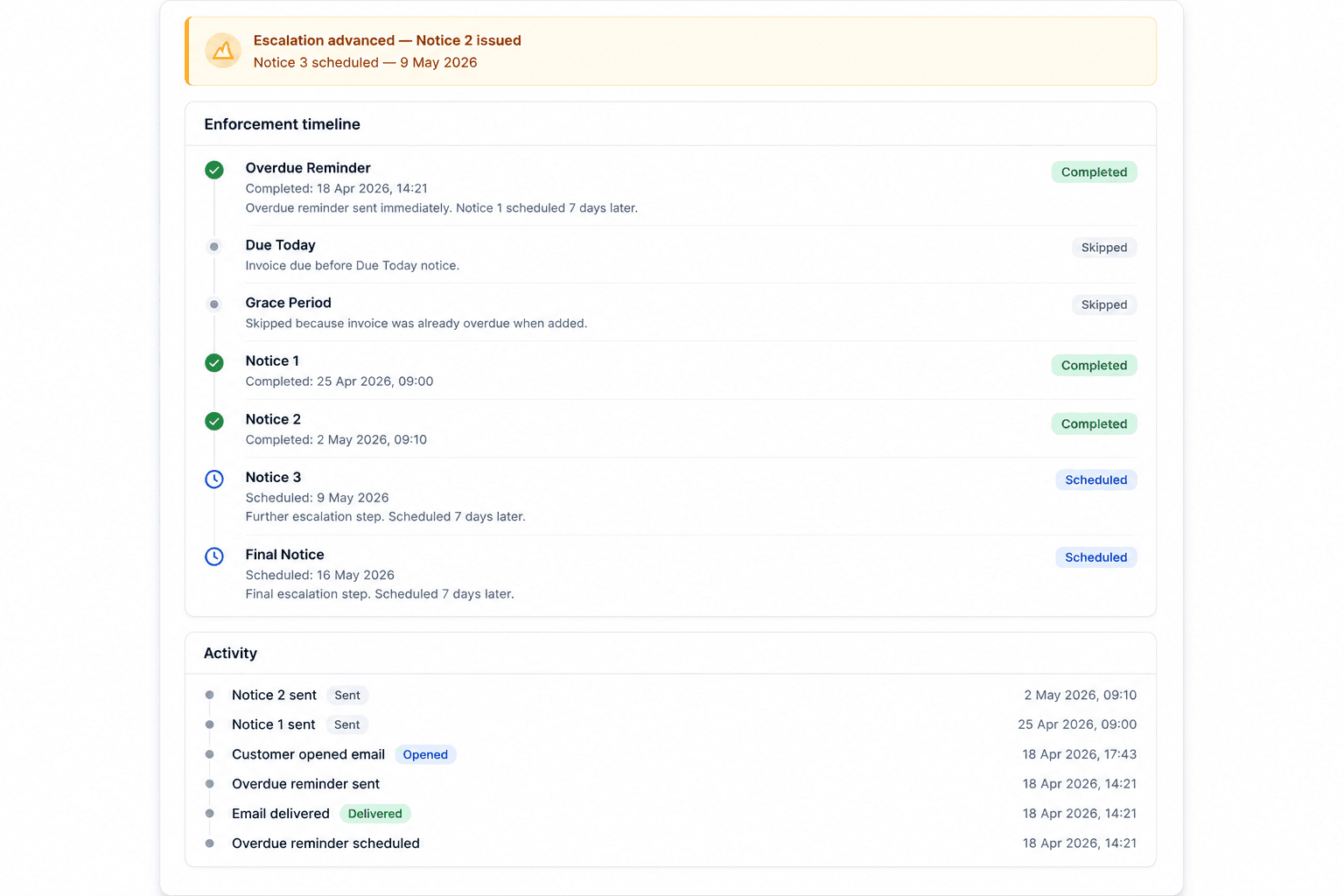
See the exact escalation sequence your customers receive.
Click How it works above for the full breakdown.
4-step escalation
Notice 1 → Final
7-day grace
Then 7-day spacing
Zero manual chasing
Runs automatically
Full audit trail
Per invoice timeline
You finished the work. The invoice was sent.
No reply. No payment.
You don't want to call.
You don't want to look desperate.
You don't want to damage the relationship.
So you wait.
And cash flow suffers.
Invoice Reminders handles the follow-up consistently and professionally — without you getting involved.
How it actually works
Simple, predictable steps. No surprises.
Add an invoice
Small businesses add an unpaid invoice in under 30 seconds.
We wait until it's overdue
Nothing happens until the due date + 7 days grace period.
System-issued notices
Sent from invoice-reminders.app on behalf of your business.
You get paid — or escalate
Either the customer pays, or you now have documented escalation history.
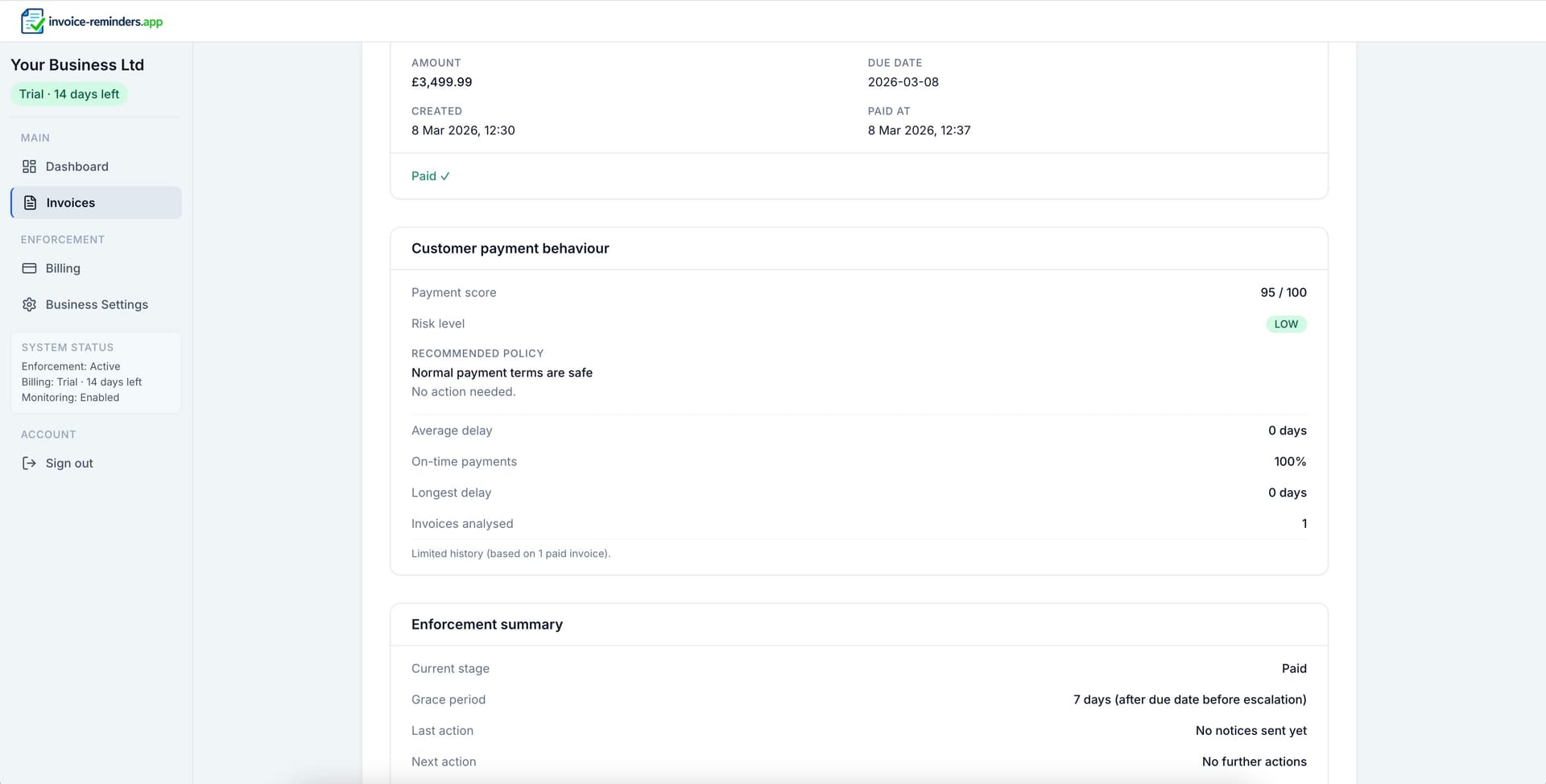
Live notice tracking
See delivery, opens, clicks, and bounces for every notice — with a complete invoice timeline.
Not another reminder app.
- Structured escalation schedule — not one-off nudges
- Professional tone, consistently applied
- Clear activity log and full visibility
- Runs automatically once installed
No passwords — secure one-time code.
You stay in control: mark invoices paid anytime.
Structured enforcement you can rely on
- Fixed 4-step sequence so every invoice follows the same path.
- Professional tone that protects client relationships.
- Full audit trail and control — mark paid anytime, escalation stops.
Frequently asked questions
- Will it spam or annoy my customers?
- No. Emails follow a fixed escalation sequence with deliberate spacing — not random nudges. If an invoice is marked paid, emails stop immediately.
- Can I stop it any time?
- Yes. Mark an invoice as paid whenever you receive payment and the escalation stops immediately.
- Do you handle payment collection?
- No. You keep your existing payment method. Add your payment link or payment instructions and we include them in every notice.
- What happens after the final notice?
- You'll have a complete, timestamped escalation history. From there, you decide the next step — a call, a payment plan, or formal recovery.
- Can I edit the escalation schedule?
- Not currently. The schedule is fixed and predictable: a 7-day grace period after the due date, then notices spaced 7 days apart.
- What if a customer replies to the emails?
- Use a dedicated billing inbox (e.g. accounts@). You don't need to respond for escalation to continue — the schedule runs automatically until the invoice is marked paid.
- Is this a debt collection service?
- No. It's a structured follow-up system for invoices you've issued. For legal advice or formal recovery, you should consult a professional.